# Frontend Local Installation Process
- Step 1: Open the folder first.
- Step 2: Find the
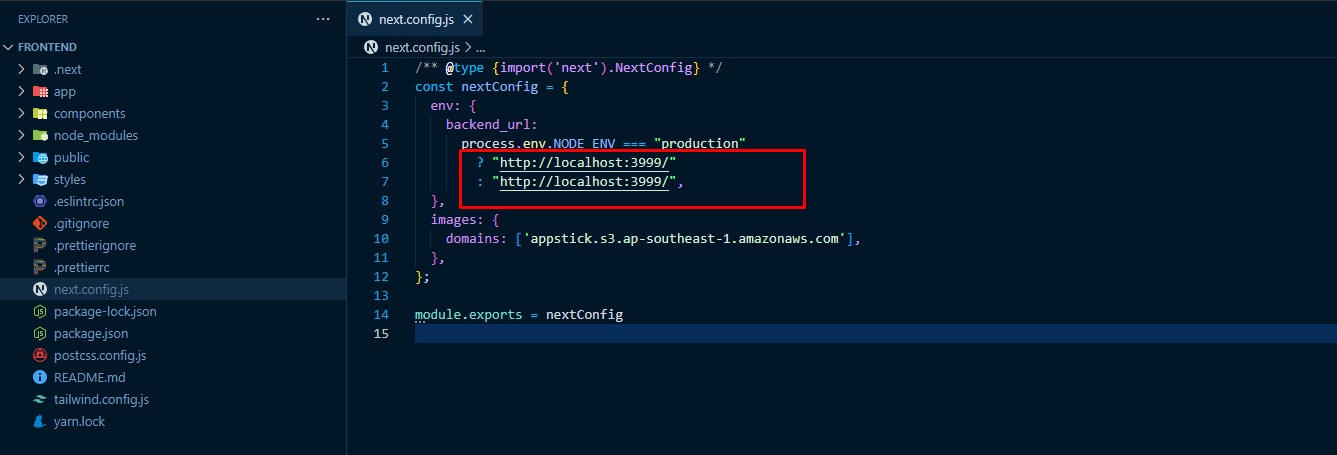
next.config.jsfile and open it in your preferred text editor.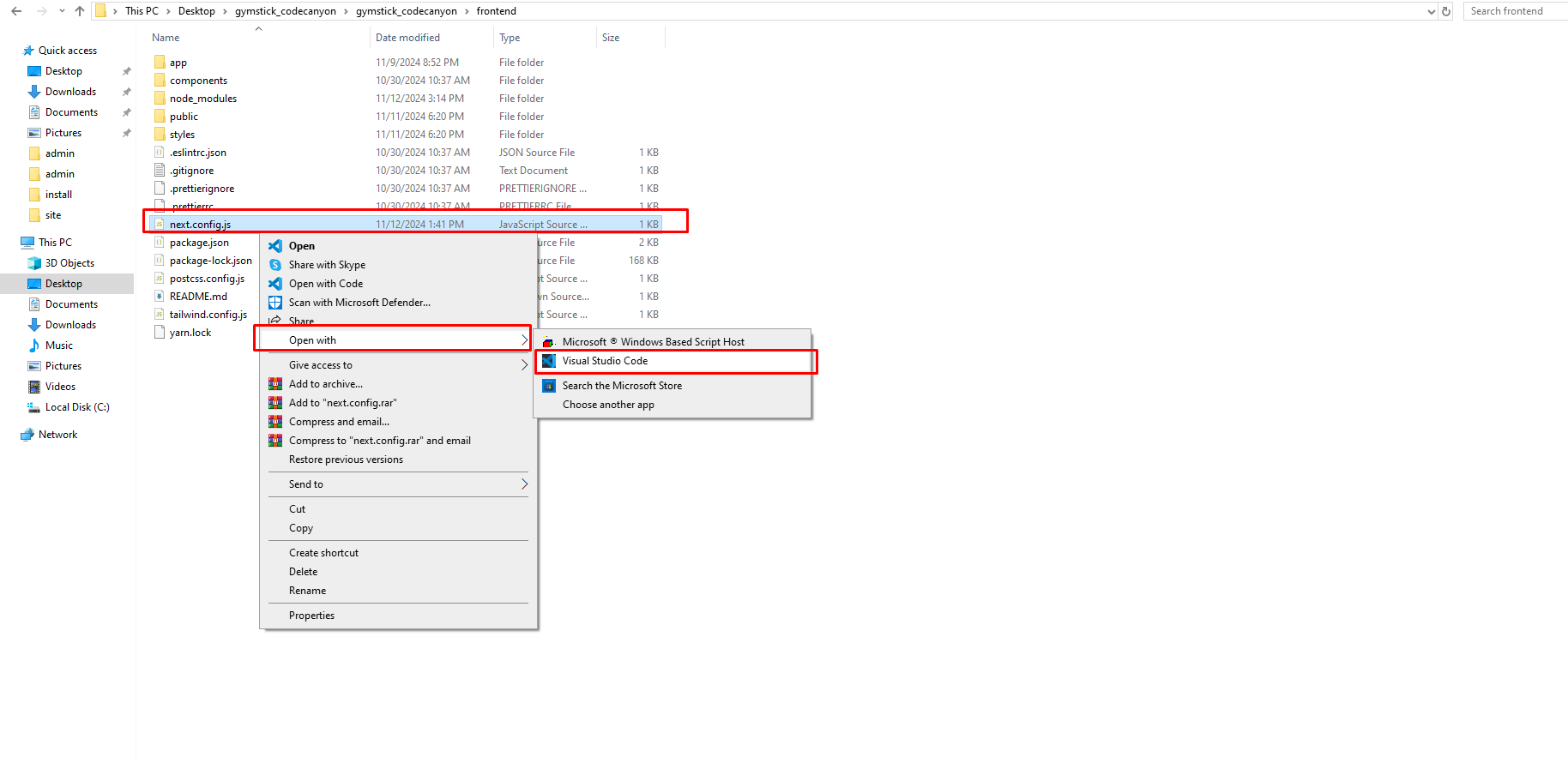
- Step 3: Update the necessary information in your website configuration, such as the BACKEND URL. Ensure you provide your personal backend domain or subdomain URL, and update the images domain URL as well. If you want to connect locally, add the local URL.
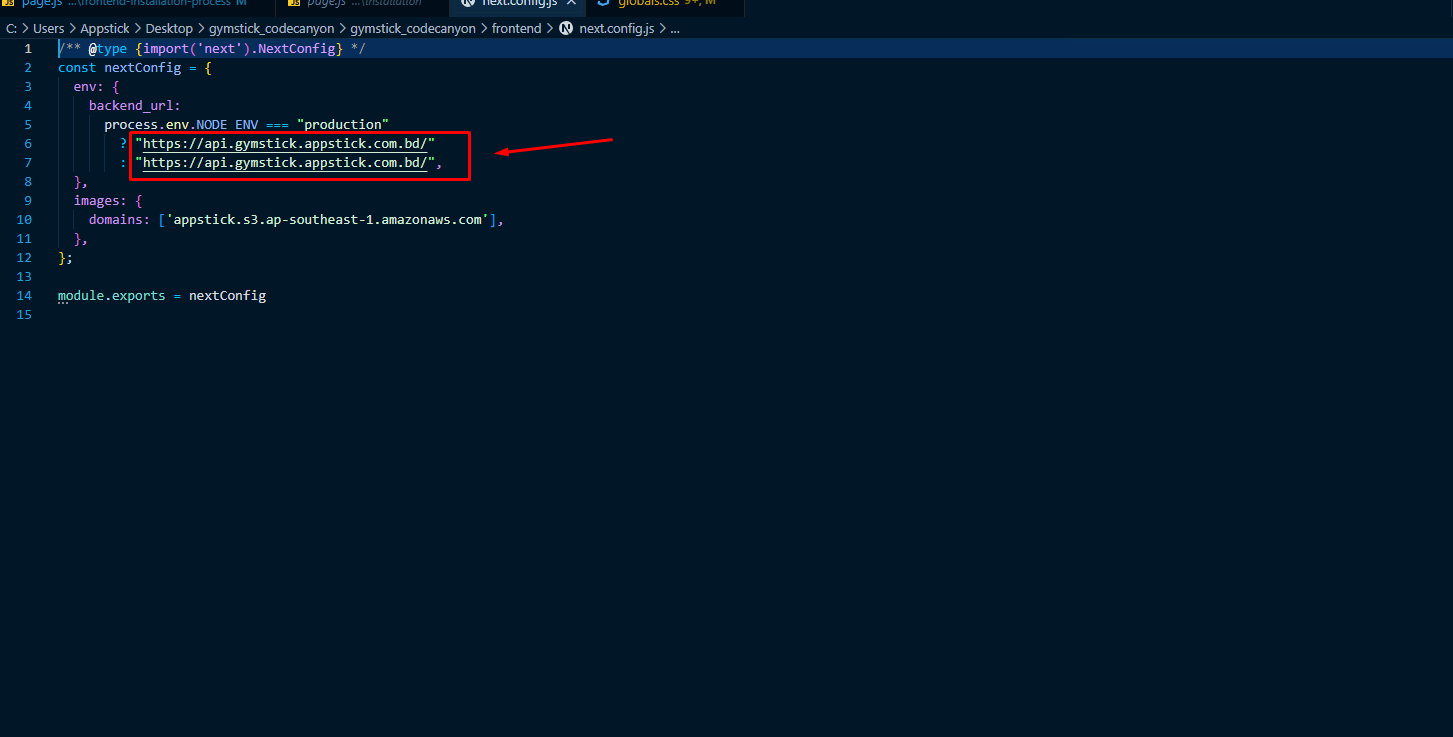
- Local URL Example: http://localhost:3999/
- Step 4: Open your terminal or command prompt:
- For Mac and Linux users, use the terminal.
- For Windows users, open the address bar and type
cmdto launch the Command Prompt.
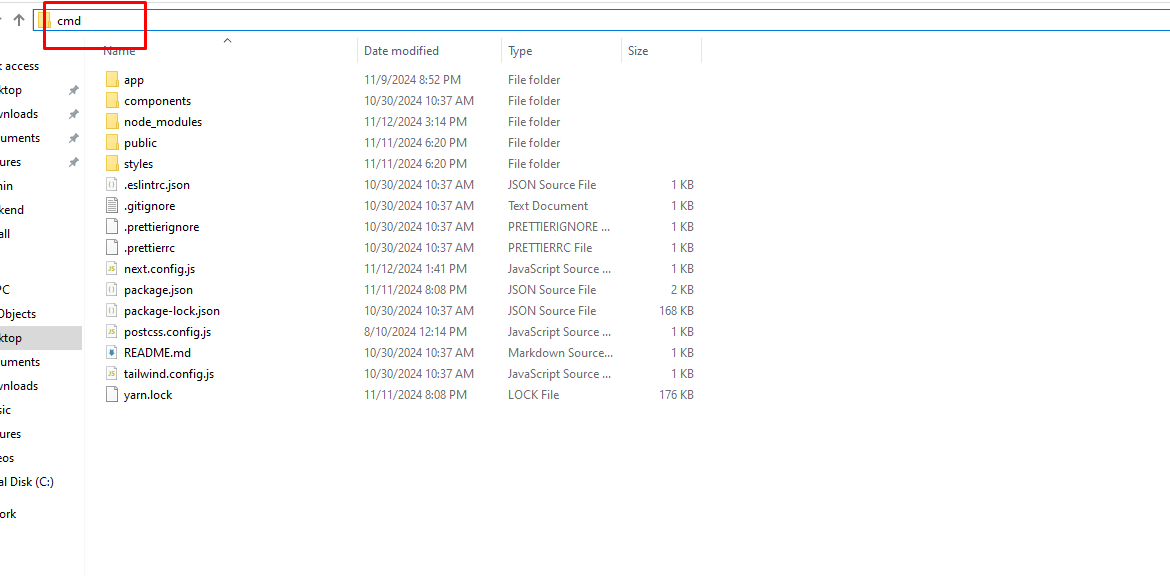
- Step 5: In the command prompt, run the following command:
yarn installand hit enter.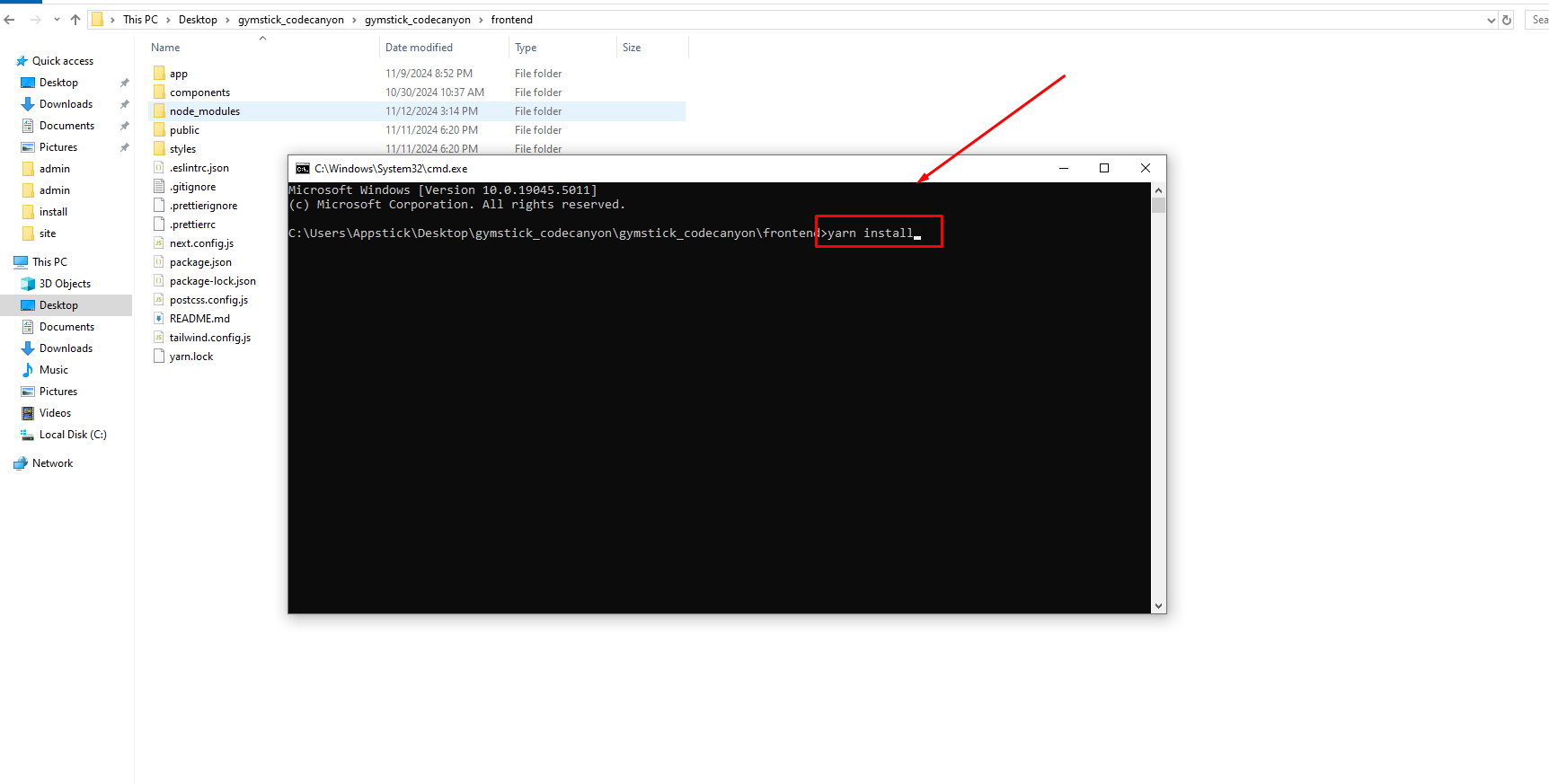
- Step 6: After the installation is complete, build the project by running:
yarn buildand press enter.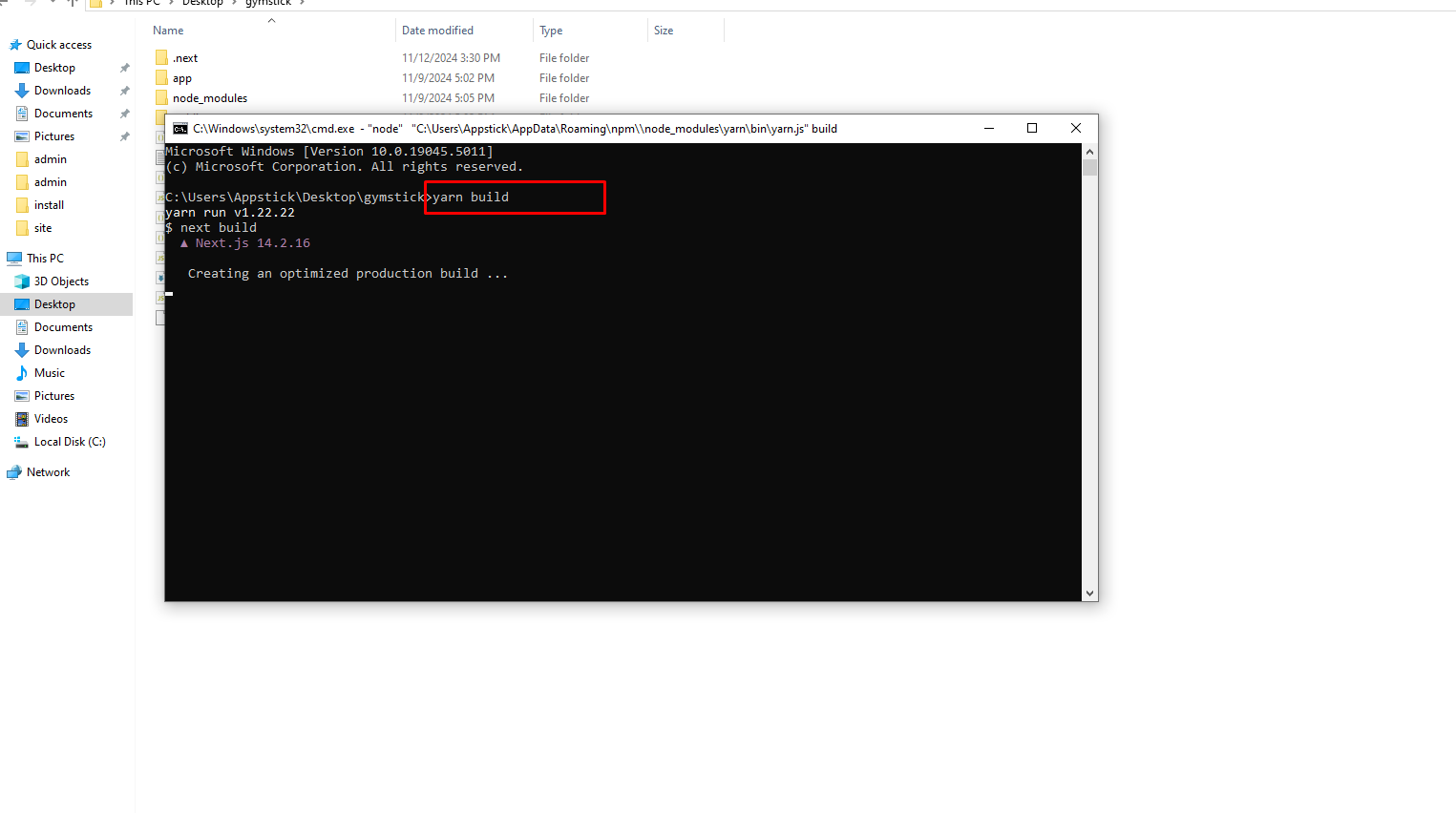
- Step 7: Once the build is successful, you should see a confirmation message.
- Step 8: Finally, you can run the project locally by typing:
yarn startand hitting enter.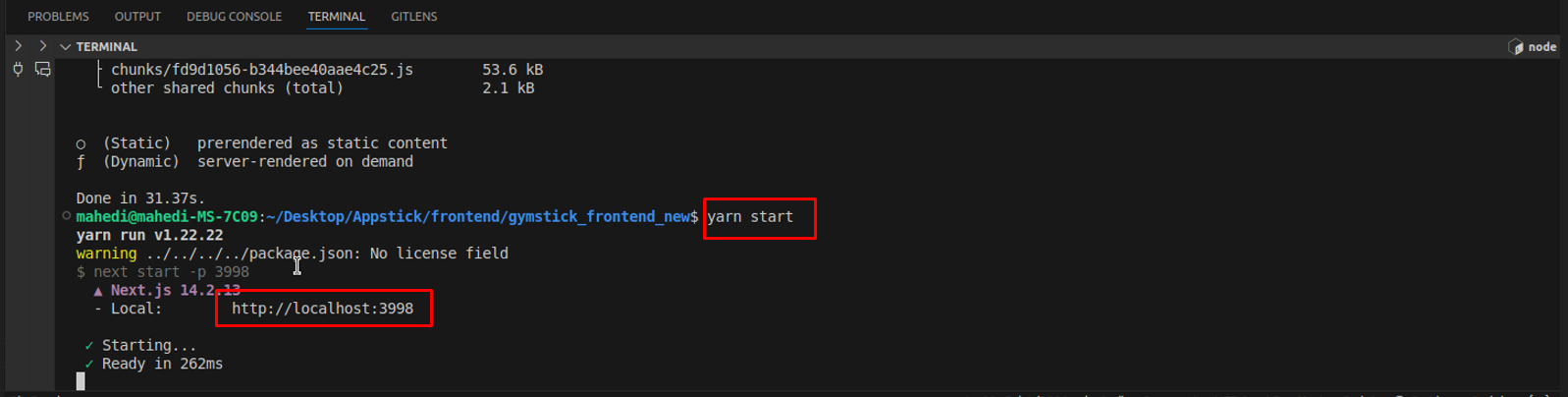
Now your Frontend is running locally. You can access it via localhost:port.