# Groups
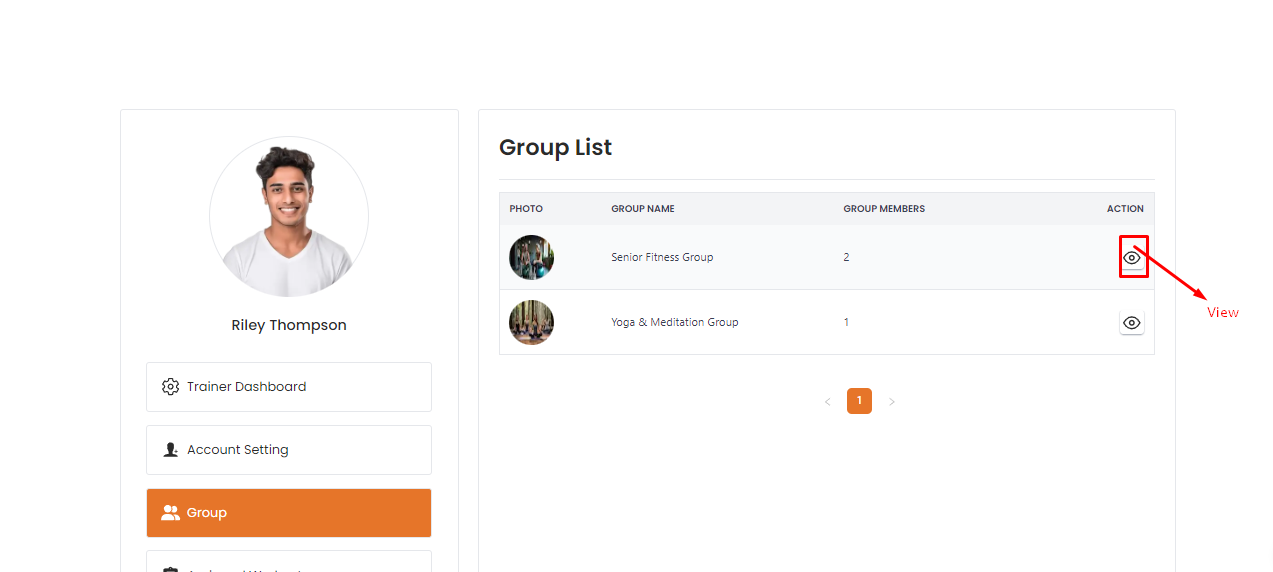
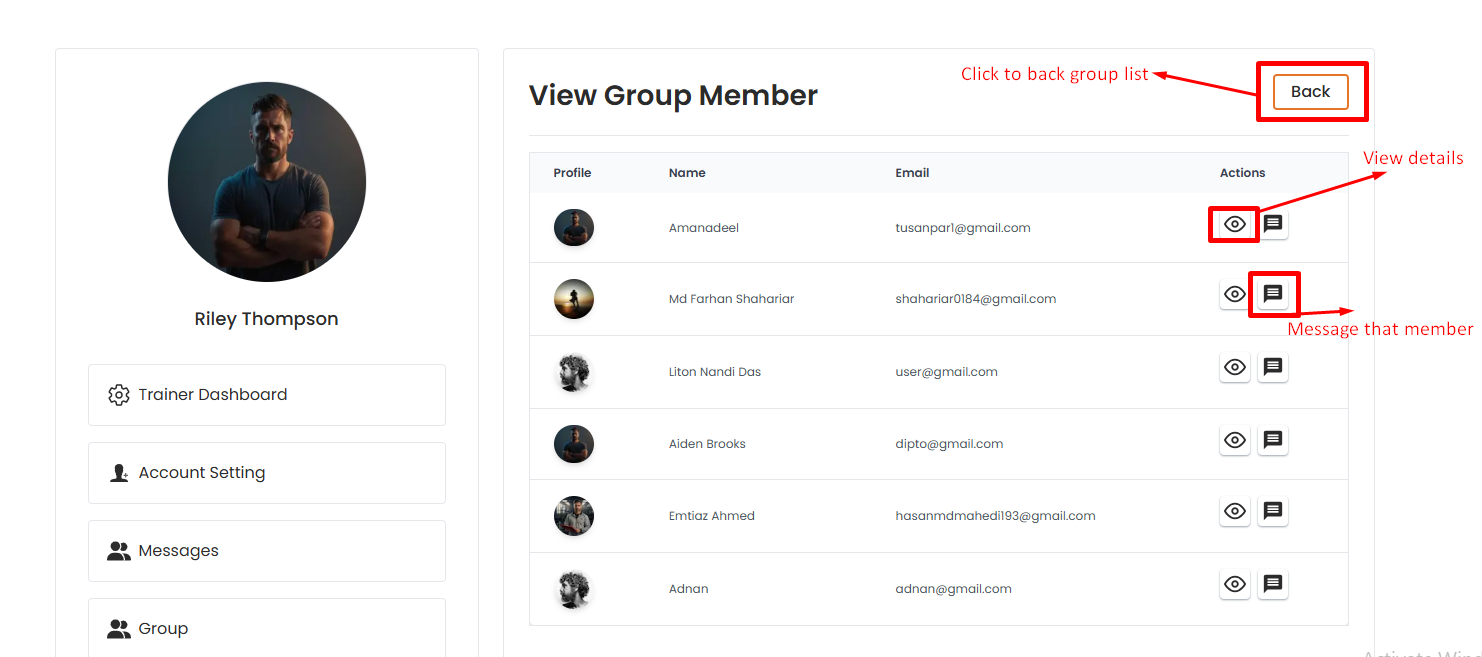
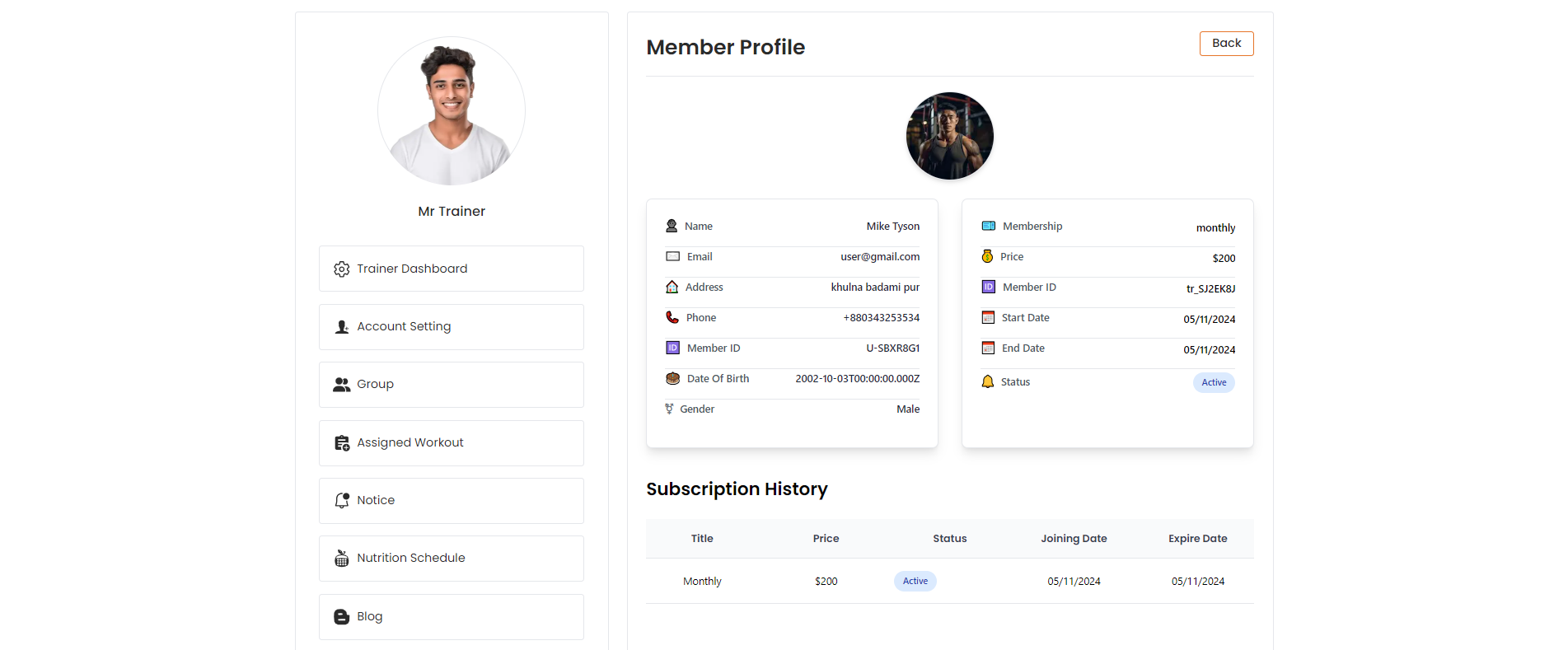
In this section, the trainer will be able to see all the existing groups that the admin has assigned.The trainer can "view" the group and by clicking view action button and trainer will be able to see the group members table.By clicking view action button, trainer will be able to see the group members details.# Here is how to message a member !
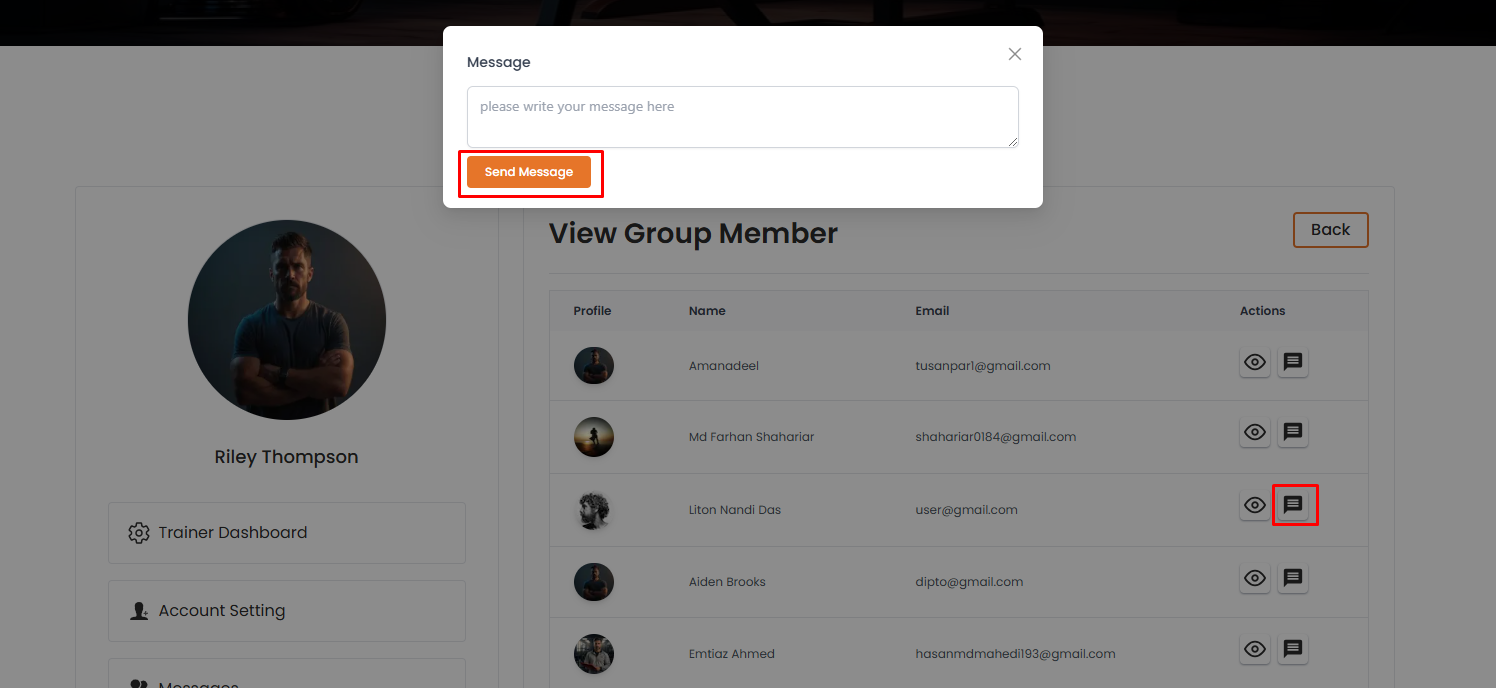
Trainer can message the group members by clicking "message" action button.After sending the message, trainer will be redireacted to the message page.