Gymstick Documentation
Home
admin
manage-group
# Manage Group
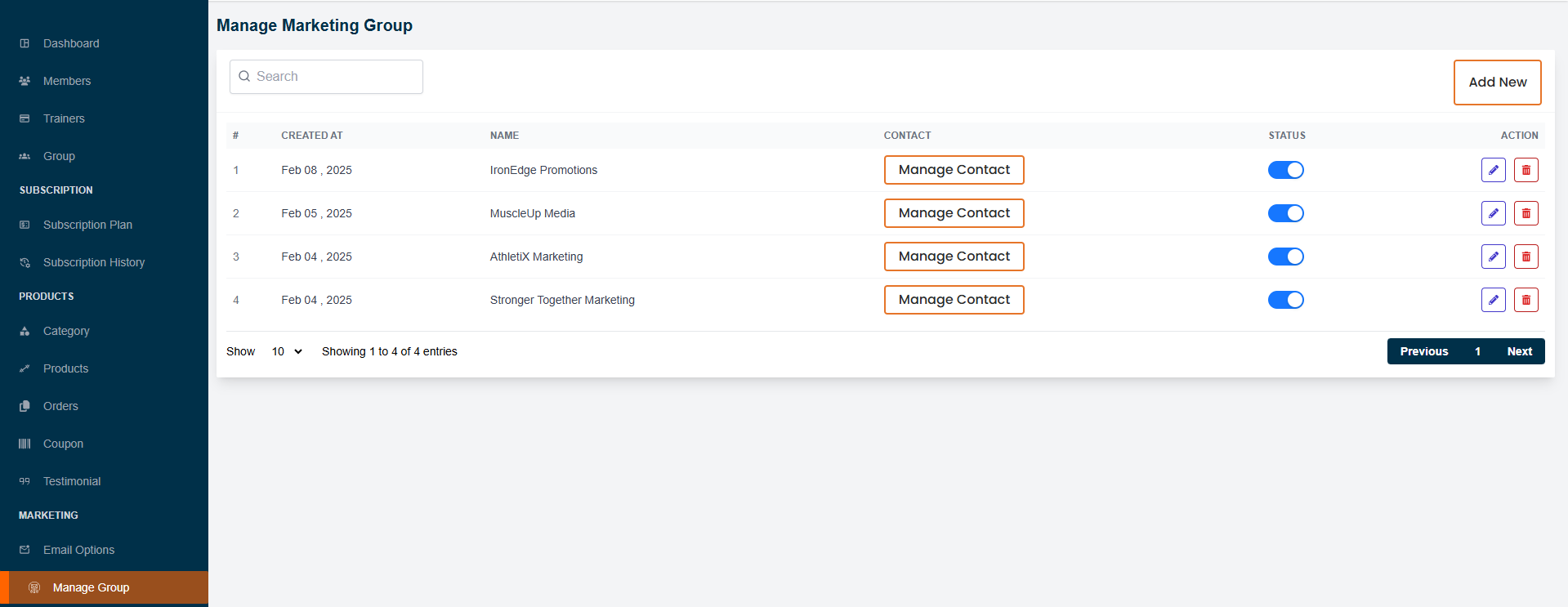
In this section, the admin can create groups focused on gym marketing.
Admin will be able to see all the existing groups.
Admin can search for a specific group by using the
"search bar"
.
Admin can manage group by clicking the
"Manage Group"
button.
# Here is how to add a new group !
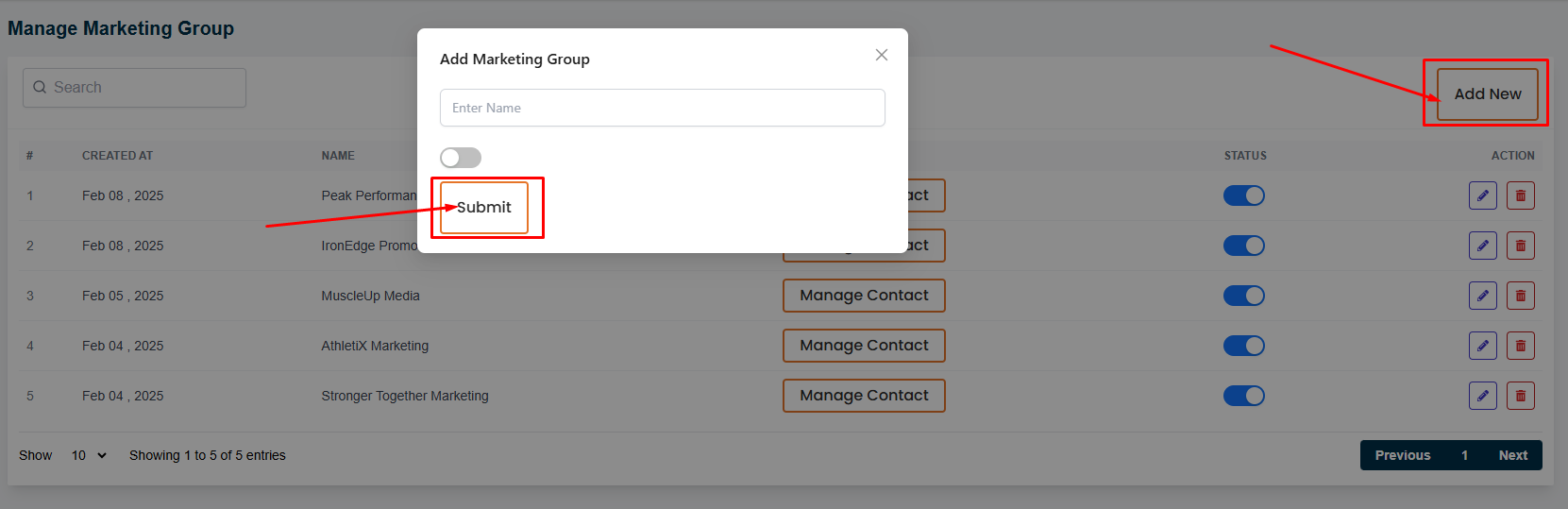
To add a new group, click on the
"Add New"
button. A form will appear where you can add a new group.
Fill in the required fields and click on the
"Submit"
button.
# Here is how to edit and delete a group !
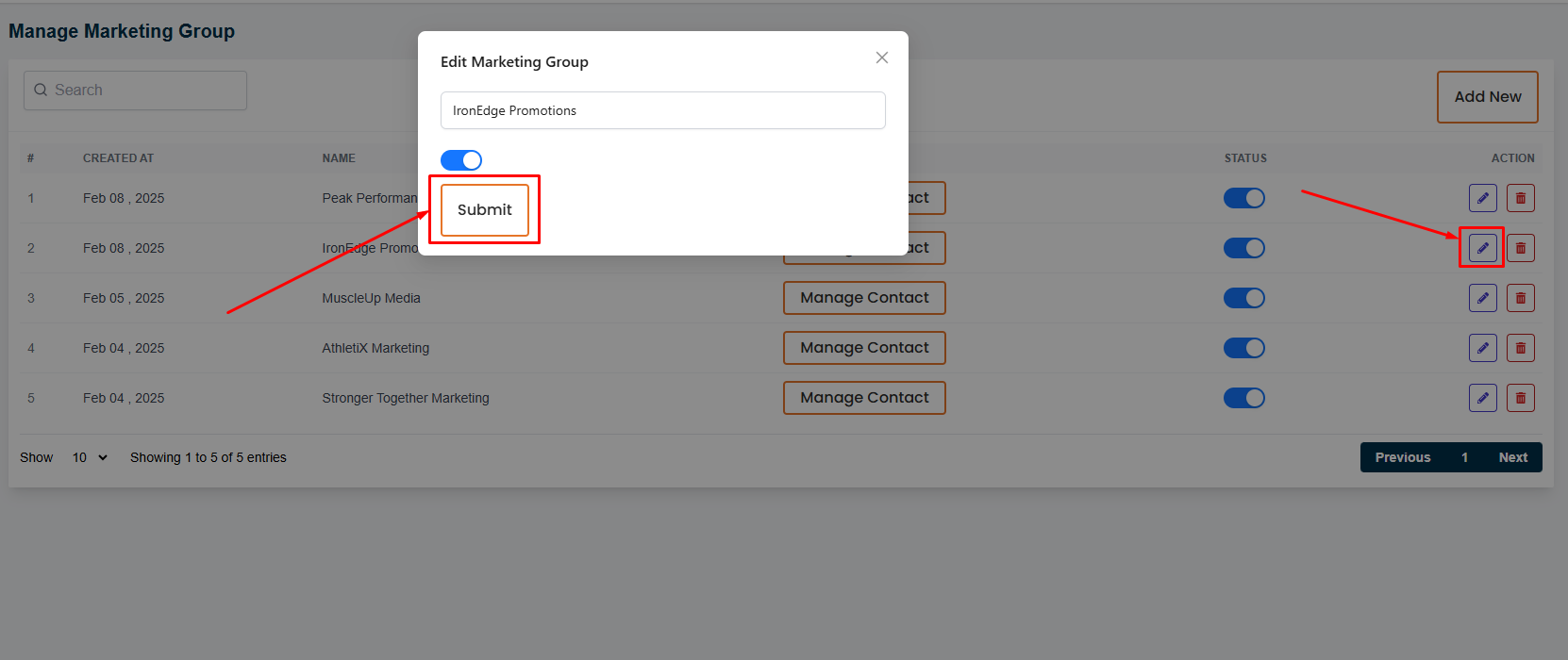
To edit a group, click on the
"Edit"
action button.
A form will appear where you can change the required fields of the group and click on the
"Submit"
button to submit the group.
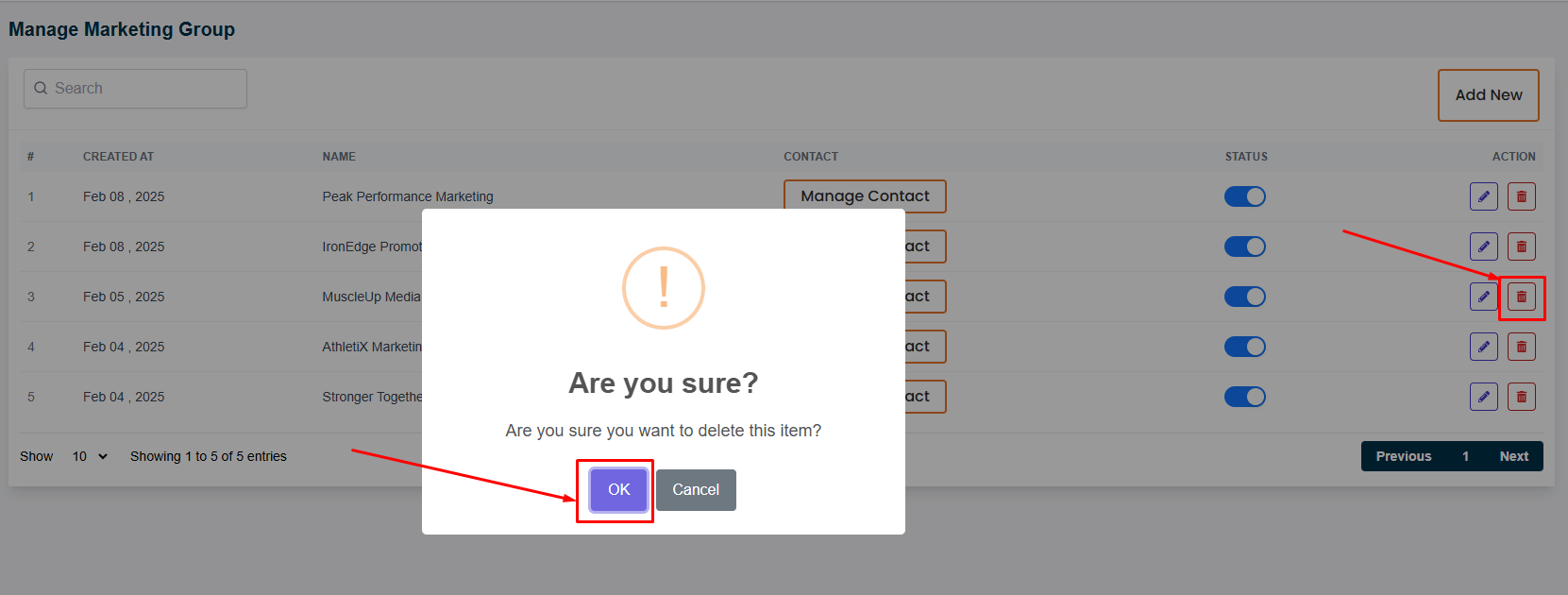
To delete a group, click on the
"Delete"
action button.
# Here is how to add to group members !
To add members to a group, click on the
"Manage Contact"
button.
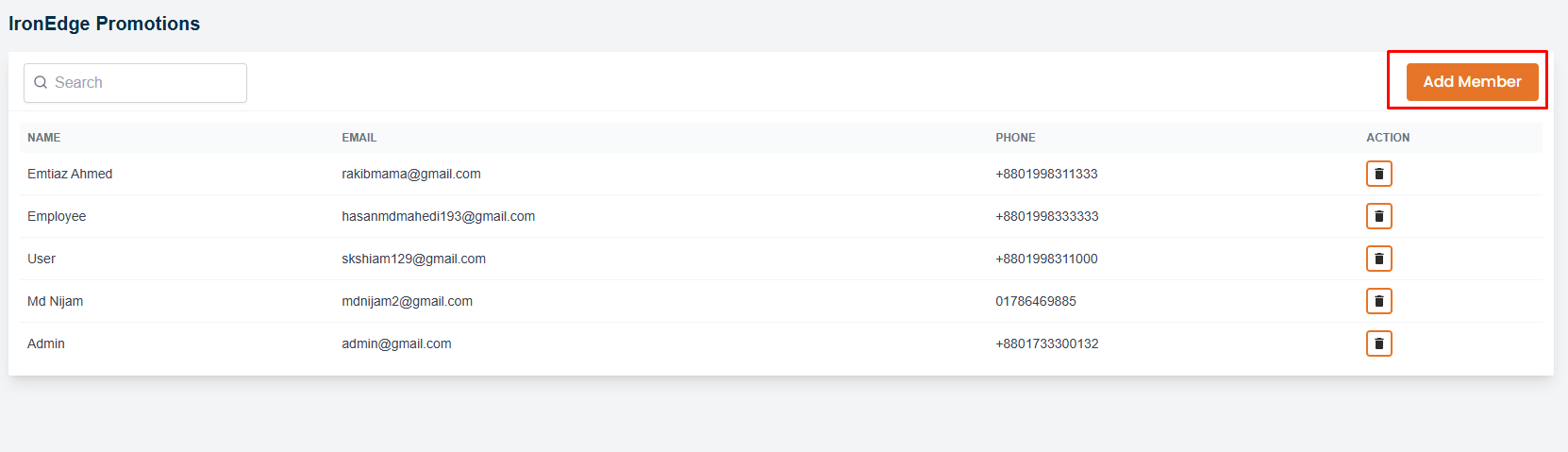
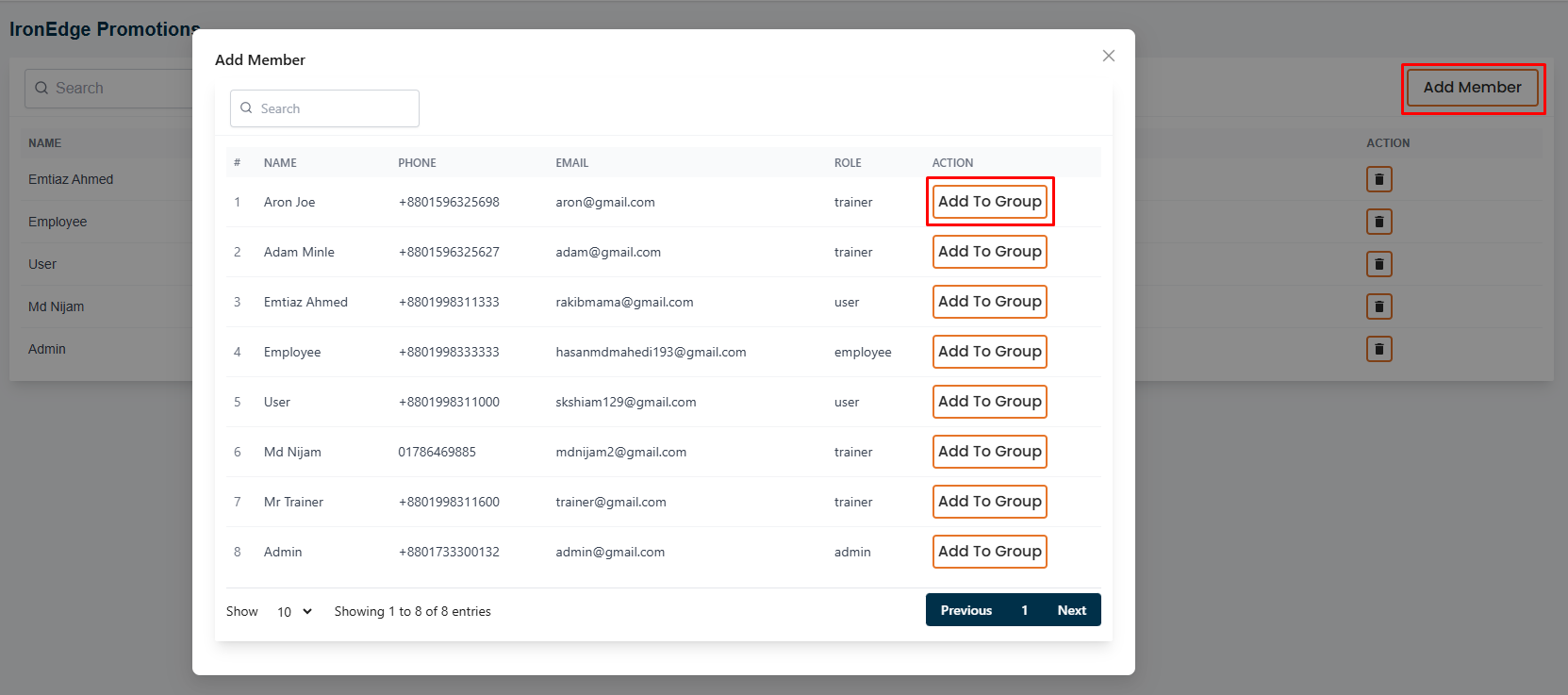
A page will appear where you can add members to the group by clicking the
"Add Member"
button.
# Here is how to remove group members !
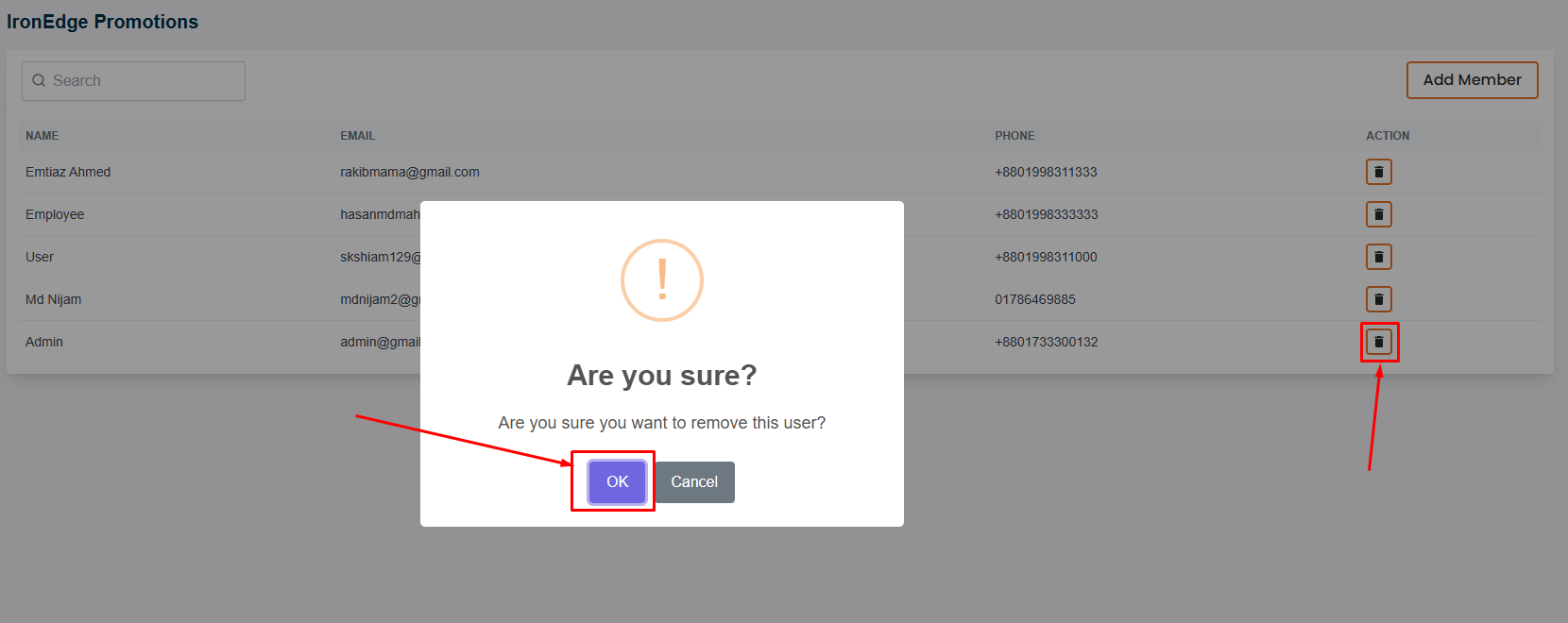
To remove members from a group, click on the
"delete"
action button.
A confirmation message will appear, click on the
"Yes"
button to confirm the deletion.
Previous page
Email Options
Next page
Email Settings